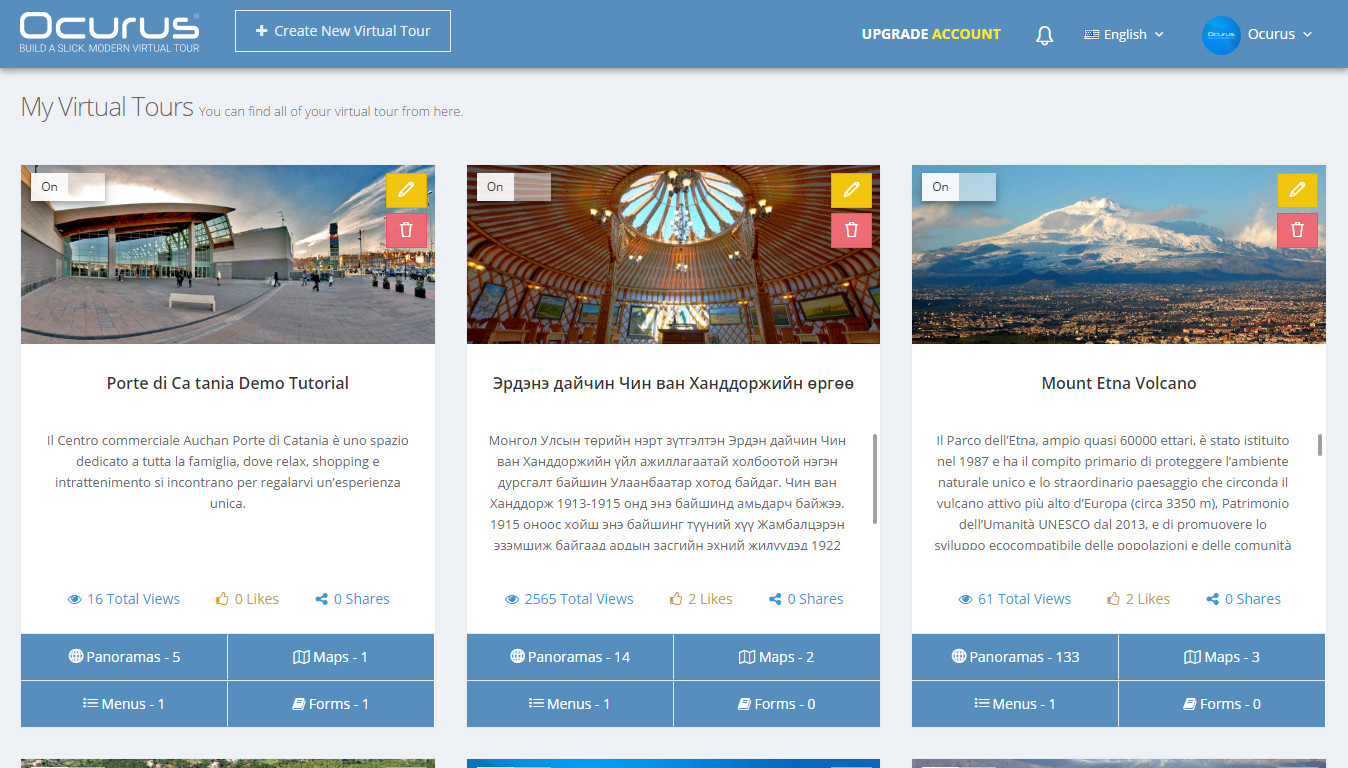

Hello, In this tutorial I will show you how to create a new virtual tour in Ocurus.
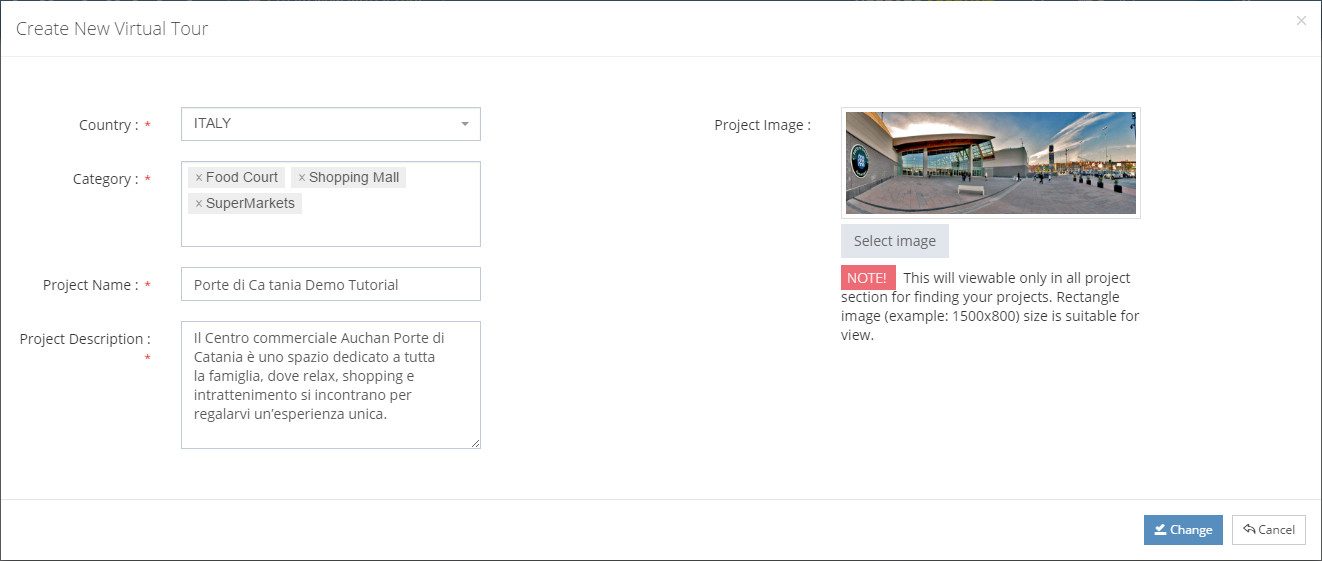
Once you logged in, you’ll find a button "Create New Virtual tour" on the top left side of the screen. When you click on the button, popup window will appear.
Following fields will assist you to better categorise your virtual tours:
- "Country" - Select the country where your images were taken
- "Category" - Select the categories of your virtual tour
- "Project Name" - Insert your project name
- "Project Description" - Insert your project description
- "Project Image" - Upload your project image
When completed all fields then click "Save" or "Change" button.